
Key takeaways
- To measure redesign success, I always start from the “before”. Without a baseline, I can’t prove anything.
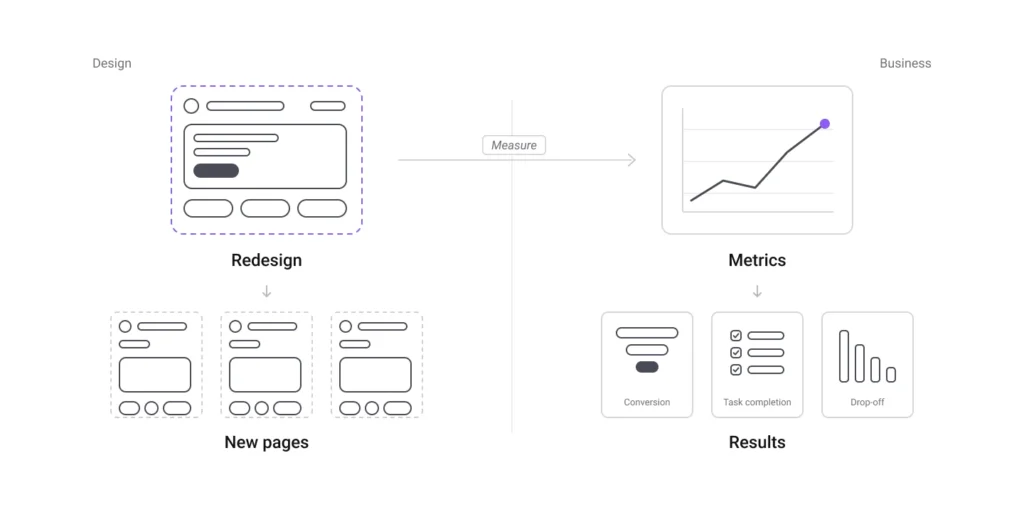
- I translate the business goal into a few metrics: conversion, task completion and drop-off.
- Every design choice needs a reason, and the reason must be something I can measure.
- Numbers tell me what happens, people tell me why. I use both.
- A good score is not the goal. It only tells me that the site is healthy.
Beautiful is not a measure of redesign success
“Beautiful” is an opinion. If I present a redesign to a client or to a team and my only argument is “it looks better”, the discussion becomes about taste. And nobody wins a discussion about taste.
For this reason I prefer to talk about results. For me, a redesign works when three things happen:
- People find the website.
- People use it without friction.
- People do the action the business needs: write, book, buy.
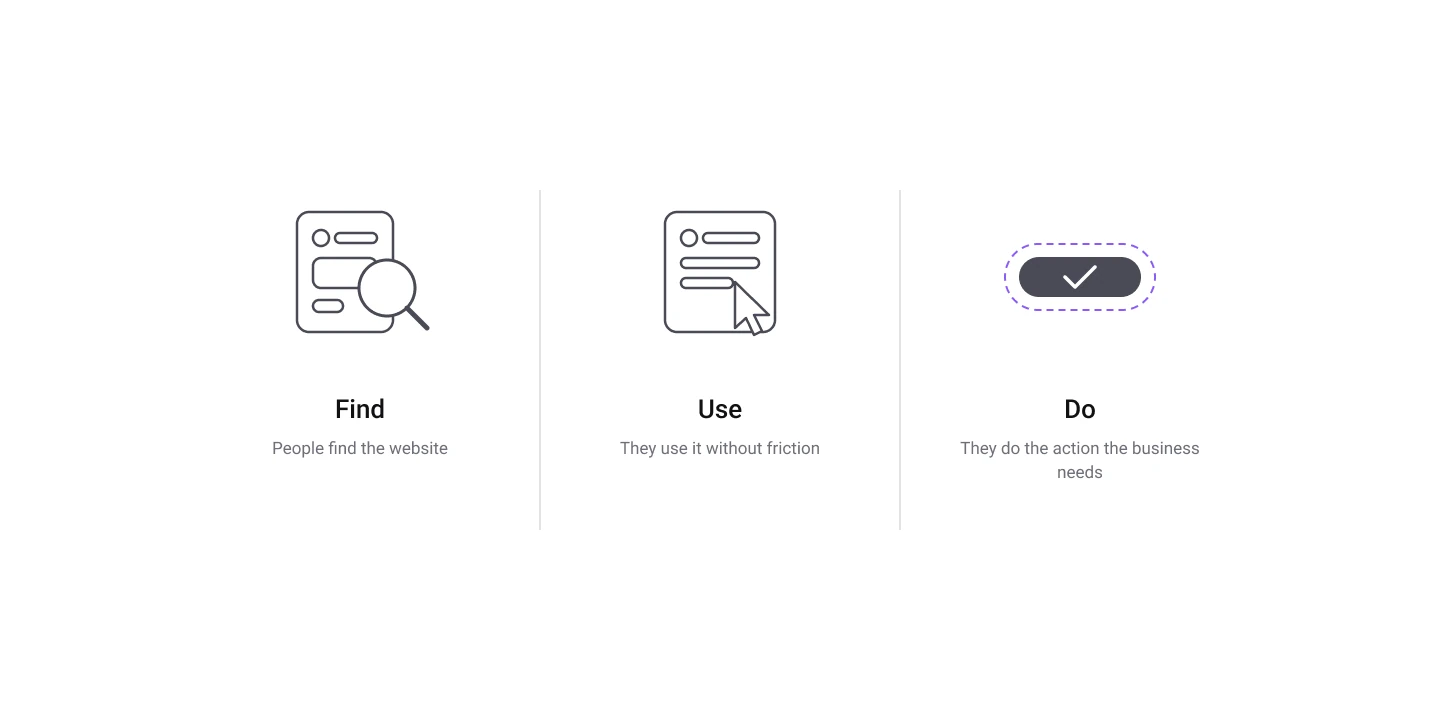
Everything I measure is connected to one of these three points.
To measure redesign success, I start from the “before”
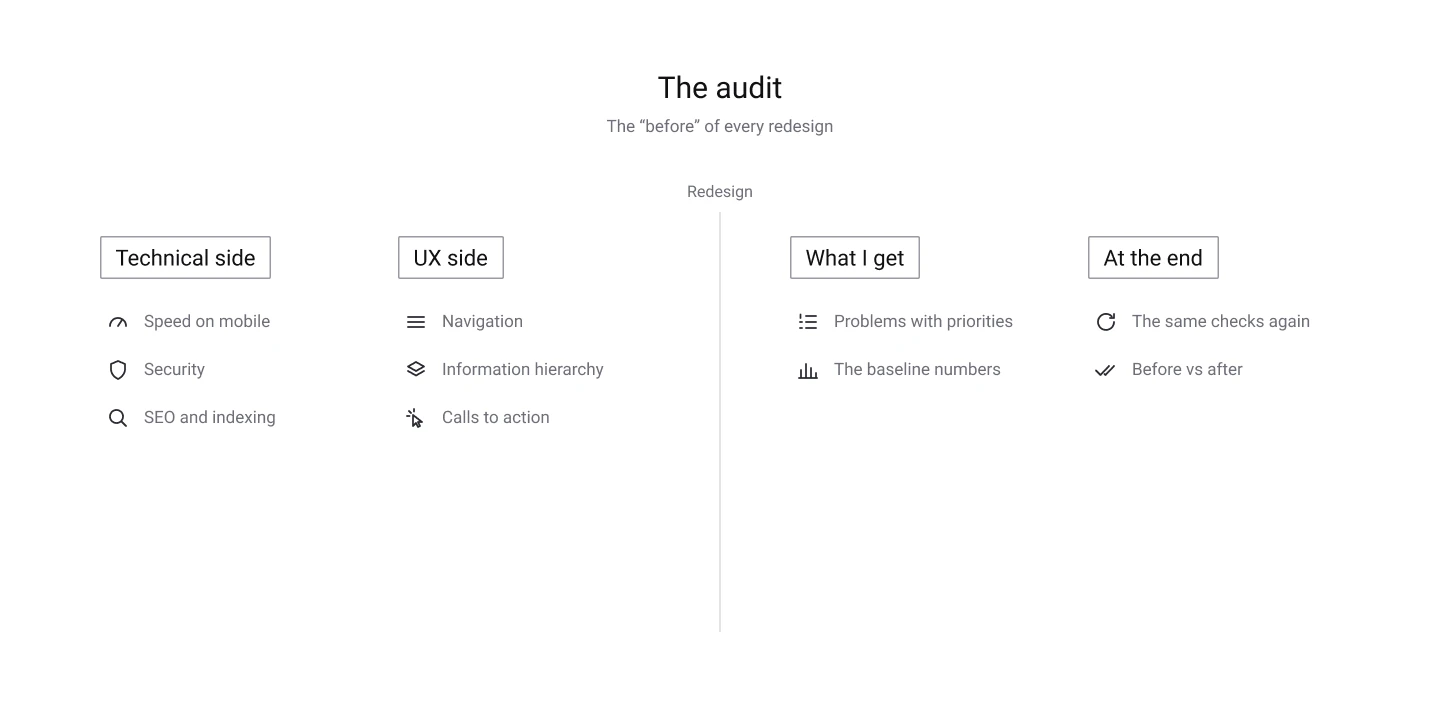
You can’t say that something is better if you don’t know how it was before. This is why my first deliverable is never a mockup, but an audit.
In the audit I check two sides of the website. The technical side: speed, security, SEO. And the UX side: navigation, information hierarchy, calls to action. It takes me one or two days, and it gives me two things: a list of problems with priorities, and the numbers I will compare at the end of the project.
On my client’s website, the audit showed that on a phone the main content needed more than 8 seconds to appear. But the worst problem was not visual at all: the site was asking Google not to index it. In practice, the website was invisible. In a situation like this, a new design alone would change nothing. This is a good example of why I never start from the visual.
How I measure redesign success: from the goal to the metrics
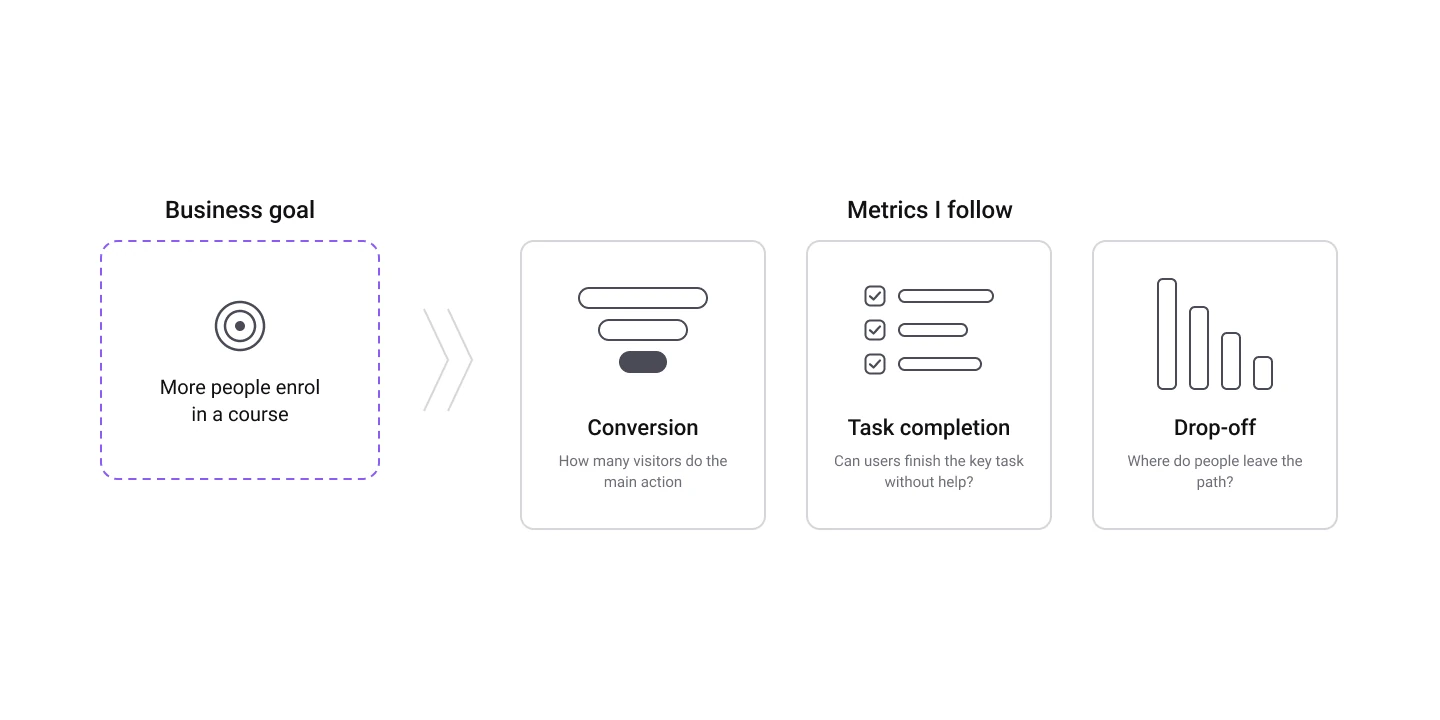
Every project has a business goal, and usually it’s simple. For this client, it was: more people who enrol in their courses. A website can’t enrol anybody, but it can bring the right people and guide them to ask for information.
So, to measure redesign success, I split the goal into metrics I can follow. The three I use the most are:
- Conversion. How many visitors do the main action, for example sending the contact form. It’s the metric closest to the business, so it’s also the one the client cares about most.
- Task completion. Can a user complete the key task without help? Here, the task was “find the right course and send a request”. Normally I check it with usability tests and with the user paths in Google Analytics.
- Drop-off. Where do people leave? If many users leave the course page before they reach the form, I know exactly where I have to work.
Then I add some technical signals, like the loading time on mobile and the SEO score, because they influence everything else. A slow page loses people before they even see the design.
I try to keep the list short: three or four metrics, all connected to the goal, are enough. When I follow too many numbers, it’s easier to lose focus.
Before the design, I fix what blocks the measurement
This is a step that many people skip, but if there is no analytics, there is no data. And if Google can’t see the website, organic traffic can’t grow, even with the best design in the world.
On my client’s website, nothing was tracked. So before working on the interface, I solved the technical problems and I installed the tools I needed to measure: Google Analytics, an SEO plugin and a proper cookie consent. In this way, on the day of the launch, everything was ready to collect data. It’s not the most exciting part of my job, but without it, all the rest is only an opinion.
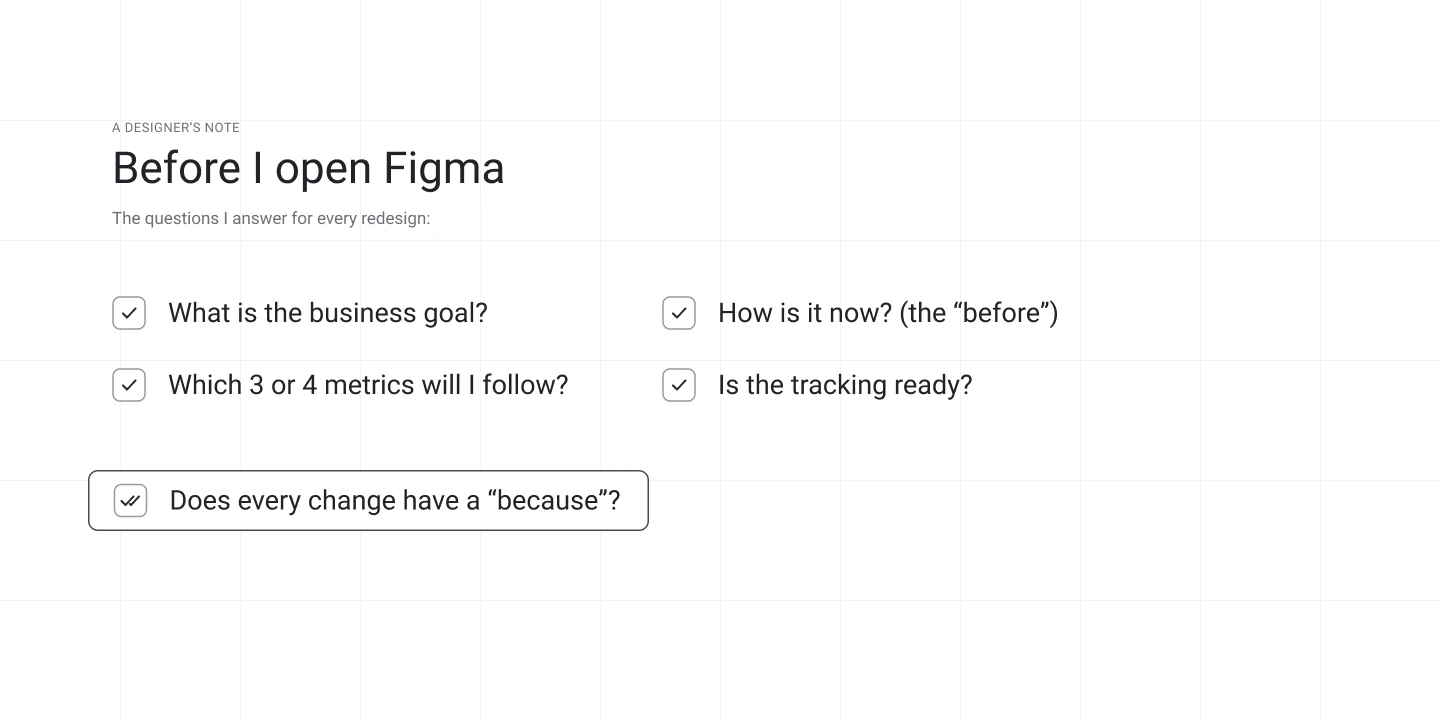
Every design choice needs a “because”
During the redesign, I try to connect every change to a problem and to a metric. If a change can’t move anything, I ask myself why it’s there. Here are three examples from this project, with the metric each change is meant to move:
| What was wrong | What I changed | The metric it should move |
|---|---|---|
| The hero had a lot of information but no main action | One clear call to action at the top of the page | Clicks on the button, forms sent |
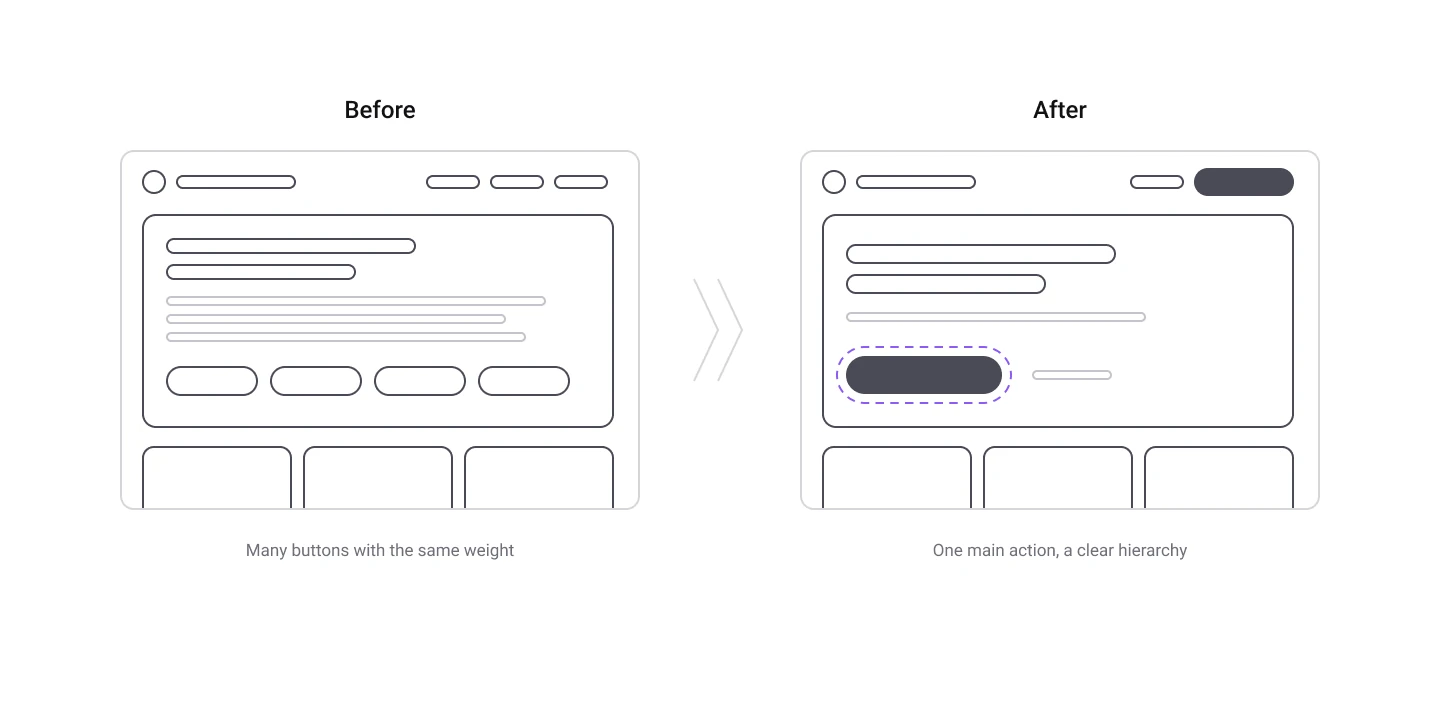
| The contact button was hidden among other buttons | One primary button, the others secondary | Clicks on the contact button |
| The menu didn’t work well on mobile | A new responsive navigation | Drop-off on mobile |
This is also how I explain my choices to clients who are not designers. When there is a “because”, the conversation is easier. The decision is not about my taste or the client’s taste anymore: it’s about the goal we agreed on together.
Numbers and people, together
Numbers tell me what happens. They don’t tell me why it happens.
If I see that many people leave the contact page, the data can’t tell me if the form is too long, if the text is not clear or if the button is not visible. For this, I need people. A usability test with five users is often enough to find the biggest problems.
So I always try to use the two together: the data show me where to look, and the users tell me what is wrong.
The results
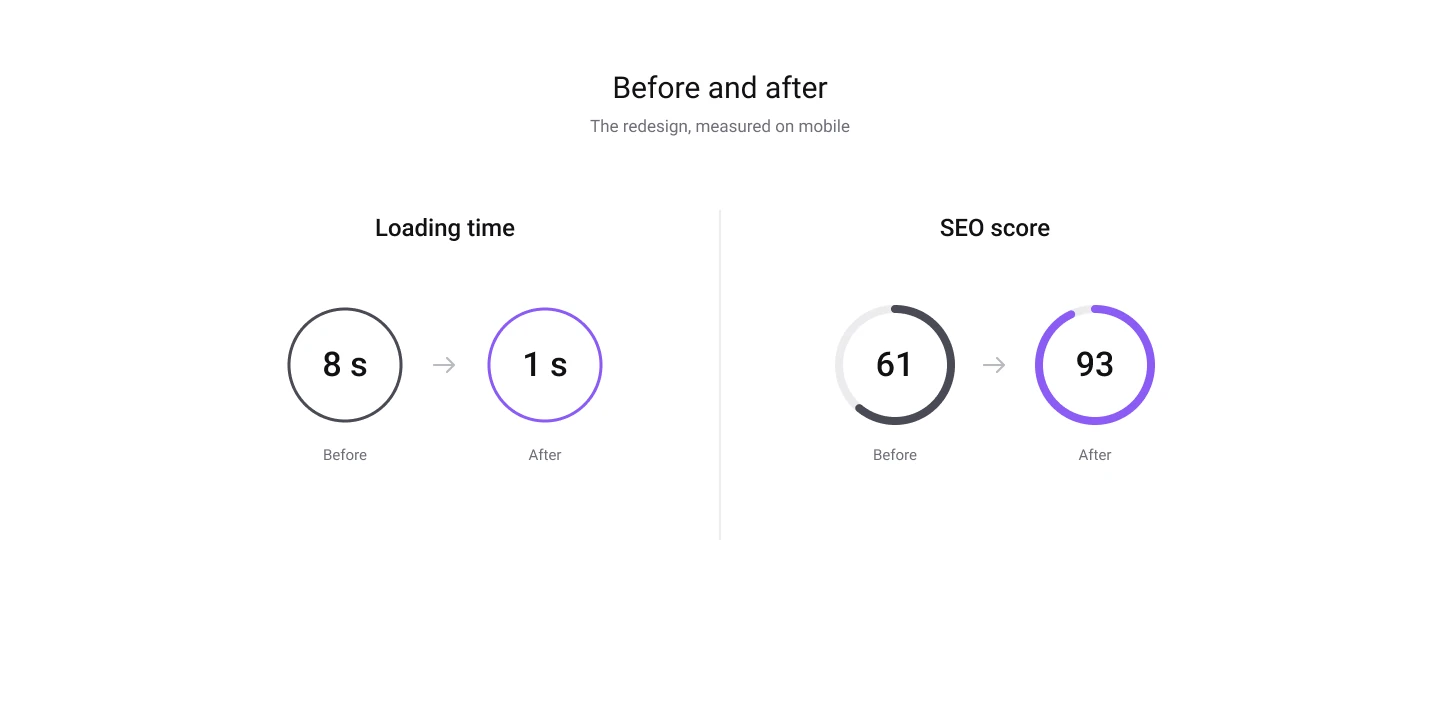
After the launch, all the critical problems I found in the audit were solved, and the scores went to good or excellent levels. Two numbers say it well: the loading time on mobile went from 8 seconds to 1 second, and the SEO score went from 61 to 93. And the website is finally visible on Google.
But I want to be honest: these numbers say that the site is healthy, not that it converts more. To measure redesign success for the business, I need the analytics. The first months after the launch become the new baseline, and the next improvements will be judged on real behaviour.
What I would do differently
- Install analytics on day one. On this project there was no tracking before, so I could compare speed and visibility, but not the number of contacts. Next time I will install analytics during the audit, to have a few weeks of real data before I change anything.
- Don’t fall in love with the scores. Tools like Lighthouse run a test in a lab, on one device and one connection. A score of 100 doesn’t mean that people will contact you.
- Talk about metrics with the client from the start. When we agree on what “success” means before the design, the feedback at the end is much easier to give and to receive.
Conclusion: measure redesign success before you design
For me, the work to measure redesign success starts before the design. I look for the “before”, I decide with the client what success means, and I connect every choice to something I can check.
The visual is important. I’m a designer and it’s the part I love the most. But the visual is the output. The result is what changes for the users and for the business.
Want to see how I work?
If you’re hiring a product or UI/UX designer, take a look at my portfolio or get in touch. And if you want to know how I manage projects like this one, read One year as freelance designer: what I’ve learned.